 Watch+
Your watch can do more.
Unlock your Tesla, read 2FA codes, scan loyalty cards, run a match, talk to a friend. Small apps that do one thing well, built for Amazfit and Garmin watches.






Pick one. Or five.
Amazla Key
Your Tesla key, on your Amazfit
Amazla
Your Tesla’s status and controls, from anywhere
PowerWall Monitor
Tesla Powerwall live on your wrist
Authenticator
2FA codes on your wrist, fully offline
AmazWallet
Scannable loyalty cards on your wrist
Referee+
Match clock and buzzes for referees
LED Remote
Control Bluetooth LED strips from your watch
Fall Guard
Buzzes your wrist if you fall
Walkie Talkie
Push-to-talk between Amazfit watches
Compass+
True heading, world map, 4 nearest cities
HTTP
Send HTTP requests from your watch
Morning Brief
One clear training call every morning
Daily Pulse
Mood check-ins matched to your heart and Body Battery
Metal Detector
Find keys and coins with your watch’s compass sensor
Voice AI
Ask Grok out loud, hear the answer
Notify+
Phone notifications you can act on
Luach
Hebrew date and zmanim on your wrist
WordBit
A new English word at every glance
GeoRate
Knows which country you’re in and converts its currency
Barometer Edge
Live pressure, 3-hour trend and storm alerts in your activity

Catholic Calendar
Today’s celebration, colour, holy days and fasting

Orthodox Calendar
Today’s feast, saints and fast rule
Glucose Field
Your CGM glucose live on the run screen

Horoscope
Your daily horoscope every morning
Fright Night: Halloween
A fright meter for horror night, from your heart rate
Faces with a shortcut.
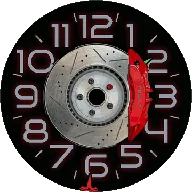
TeslaFace
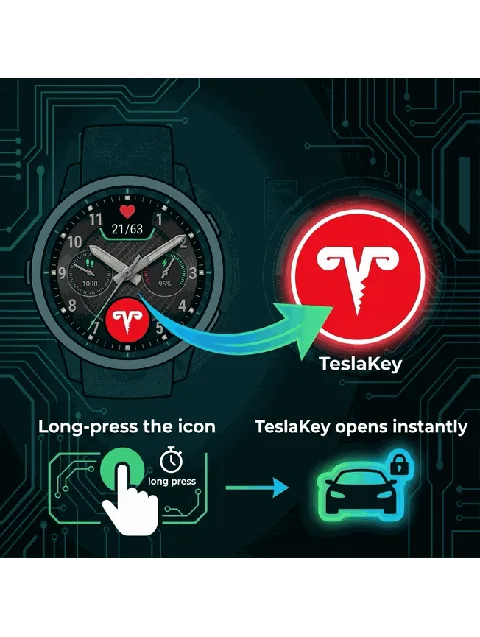
A Tesla-themed watch face with a one-tap shortcut into Amazla Key. On Garmin it’s TeslaKey-Link, with the time, your heart rate and a green ring that opens Tesla Key.
Small apps. Done properly.
The watch does the work
Amazla Key talks to your car over Bluetooth. Authenticator, Compass+, Luach and Referee+ work with no signal at all. The phone is for setup, not for every tap.
ads
And no trackers in the apps.
Free to install
Every app works for free. Pro adds more.
No accounts
Nothing to sign up for, unless the service needs it (like your Tesla).
Real support
Write to watch@ab.team and a developer answers.
Unlock in three taps.
Open the settings
In the Zepp app on your phone, open the app’s settings page and tap Buy.
Pay
A secure checkout opens. Most Pro upgrades are one payment; a few that cost us money to run are monthly.
It unlocks
The watch unlocks in a few seconds. One purchase covers up to 3 watches.
Good to know.
Which watch do I need?
Any Amazfit on Zepp OS, or a recent Garmin for our Garmin apps. Each app page lists the exact models. Some apps need hardware: Bluetooth for Amazla Key, a microphone and speaker for voice apps.
How do I install an app?
Tap Install on the app’s page on your phone, or open the Zepp app and go to Profile → App Store, then search for the name. For Garmin, use the Connect IQ store.
What do I get after paying?
A license key. If you bought from the app’s settings page, it’s entered for you. If not, paste it there once. The watch unlocks within seconds.
I got a new watch. Do I pay again?
No. One purchase covers up to 3 watches. Enter the same key on the new one.
Can I get a refund?
Yes, within 14 days, no questions asked. See the refund policy.
Who makes these apps?
Active Bridge, LLC, a small software company in Arizona. Questions or ideas: watch@ab.team. We answer within two business days.
Make it yours.
23 apps, free to try. Start with the one you need most.