 Watch+
Your home’s energy, live.
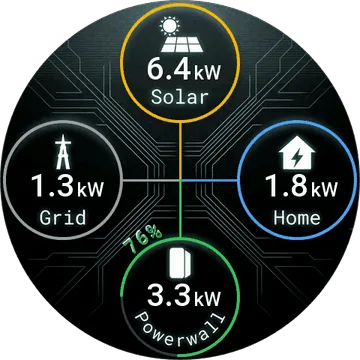
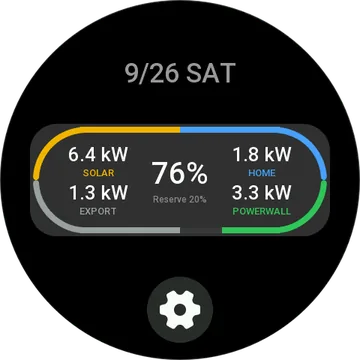
Solar, grid, home and Powerwall in kW, with the battery charge and your backup reserve. One look at your wrist tells you where the power is going.
Free to install · Pro from $2.99/mo · In the Zepp app: Profile → App Store → “PowerWall Monitor”
Where your power goes.
Live power flow
Which way the power is running between solar, grid, home and Powerwall, and how much.
Battery gauge
Charge level and backup reserve on one ring.
Off-grid and Storm Watch
See when the house is off the grid, or when Storm Watch is holding a charge.
Widget and card
Swipe and see it. No app to open.
Tesla sign-in
Sign in with your Tesla account in the Zepp app. Your password goes to Tesla only.
Have a look.
Set up in a minute.
Install
Install PowerWall Monitor from the Zepp app.
Sign in
Open its settings in the Zepp app and sign in with the Tesla account your Powerwall is on.
Glance
Open the app or swipe to the card. Refresh when you want; with Pro it updates by itself.
Free to start.
Free
- 10 refreshes a day
- Every screen and widget
Pro
- Unlimited refreshes
- Live updates every minute
- Or $24.99 a year: save 30%
Buy on your phone, from the app’s settings page. The watch unlocks by itself. 14-day refunds, no questions. Refund policy.
Does it run on mine?
 Active 3 Premium
 T-Rex Ultra 2
 Active Max
 T-Rex 3 Pro (44mm)
 T-Rex 3 Pro (48mm)
 Active 2 (Square)
 Bip 6
 Balance 2
 Active 2 (Round)
 Bip 5 Unity
 T-Rex 3
 Balance
 Bip 5
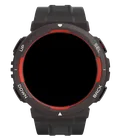 Active Edge
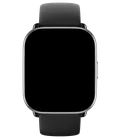 Active
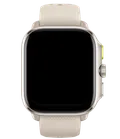 Cheetah (Square)
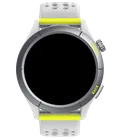 Cheetah (Round)
 Cheetah Pro
 GTS 4
 GTR 4
 T-Rex Ultra
 GTR 3 Pro
 T-Rex 2
 Falcon
 Band 7
 GTR Mini
 GTS 4 mini
 GTR 3
 GTS 3
 Approach S50
 Approach S70 (42mm)
 Approach S70 (47mm)
 D2 Air X10
 D2 Air X15
 D2 Mach 1
 D2 Mach 1 Pro
 D2 Mach 2
 D2 Mach 2 Pro
 Descent G2
 Descent MK3 - 43mm
 Descent MK3i - 51mm
 Enduro 2
 Enduro 3
 Enduro 4
 epix (Gen 2)
 epix Pro (42mm)
 epix Pro (47mm)
 epix Pro (51mm)
 fēnix 7
 fēnix 7 Pro
 fēnix 7 Pro – Solar Edition (No Wi-Fi)
 fēnix 7S
 fēnix 7S Pro
 fēnix 7X
 fēnix 7X Pro
 fēnix 7X Pro No Wi-Fi
 fēnix 8 AMOLED (43mm)
 fēnix 8 AMOLED (47mm/51mm)
 fēnix 8 Pro
 fēnix 8 Solar (47mm)
 fēnix 8 Solar (51mm)
 fenix 9 - 43 mm
 fenix 9 Pro - 43 mm
 fenix 9 Pro - 47 mm
 fenix 9 Pro - 51 mm
 fenix 9 Pro - Solar 47 mm
 fenix 9 Pro - Solar 51 mm
 fenix 9 – 47 mm
 fēnix E
 Forerunner 165
 Forerunner 165 Music
 Forerunner 170
 Forerunner 170 Music
 Forerunner 255
 Forerunner 255 Music
 Forerunner 255S
 Forerunner 255S Music
 Forerunner 265
 Forerunner 265S
 Forerunner 570 - 42mm
 Forerunner 570 - 47mm
 Forerunner 70
 Forerunner 955 Dual Power
 Forerunner 965
 Forerunner 970
 Instinct 3 – 45 mm, AMOLED
 Instinct 3 – 50 mm, AMOLED
 MARQ (Gen 2)
 MARQ Aviator (Gen 2)
 MARQ Commander (Gen 2) – Carbon Edition
 Mercedes-Benz Venu 2
 Mercedes-Benz Venu 2S
 tactix 7
 tactix 7 – AMOLED Edition
 tactix 8 – 47 mm, AMOLED
 tactix 8 – 51 mm, Solar
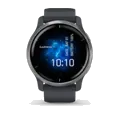 Venu 2
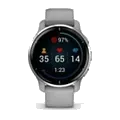 Venu 2 Plus
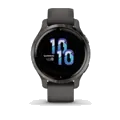 Venu 2S
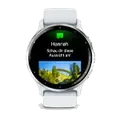 Venu 3
 Venu 3S
 Venu 4 – 41 mm
 Venu 4 – 45 mm
 Venu X1
 vívoactive 5
 vívoactive 6
Good to know.
What do I need?
A Tesla Powerwall site on your Tesla account, and a phone with the Zepp app.
Can it change Powerwall settings?
Not yet. This version shows your energy; it doesn’t change modes or the reserve.
Why a monthly plan?
Live updates ask Tesla for fresh data every minute, and those requests cost us money. Free covers a look now and then.
You might also like.


 PowerWall MonitorInstall